
Sportzfy

Sportzfy App brings live sports action, cricket excitement, and sports entertainment together in one convenient place for fans on the go.
Security Verified
Sportzfy
Looking for information about the Sportzfy app? This guide explains what Sportzfy is, the features associated with it, device compatibility, APK installation considerations, and common questions about watching sports on Android phones, TVs, and computers.Whether you want to learn about Sportzfy APK Download, explore Sportzfy TV App Download, check compatibility with your device, or compare alternative sports-streaming services, use this guide to find the information you need before installing an app.
What Is Sportzfy?
Sportzfy is a name associated with apps and online resources focused on sports-related entertainment. People searching for Sportzfy commonly want to learn about live sports streams, cricket and football coverage, sports channels, playback options, and compatibility with different devices.However, features and availability can vary between apps, versions, and websites using similar names. Before downloading anything, confirm the identity of the app, check its source, and verify that its features are supported by reliable information.
What Can You Explore With SportzfyTV APPS ?
Depending on the particular app or version, users may be looking for:
- Live sports and sports-channel access.
- Cricket, football, and other sporting events.
- Video playback and streaming-quality options.
- Sports categories and channel navigation.
- TV-oriented viewing interfaces.
- Information about app updates and compatibility.
Sportzfy APK Information at a Glance
An APK, or Android Package Kit, is an installation file used by Android devices. Searching for Sportzfy TV APK usually means looking for an Android installation package rather than a native Windows or iOS application.Before downloading an APK, review the following information:
| Feature / Detail | Description |
| App Name | Sportzfy (Sportzfy TV) |
| Category | Live Streaming / Sports Entertainment |
| Primary Use | Free live streaming of cricket, football, and other major sports channels. |
| Key Channels | Star Sports, Sony Sports, PTV Sports, Ten Sports, BeIN Sports, etc. |
| Supported Devices | Android (Smartphones, Tablets, Android TV / Fire Stick) |
| App Size | Usually ~10MB to 15MB (Lightweight) |
| Android Requirement | Android 5.0 and above |
| Registration / Sign-up | Not Required (Direct access without login) |
| Ads | Contains third-party advertisements |
| Cost | Free to use |
A version number displayed on a third-party website does not automatically prove that the release is official or current.
What’s New in Sportzfy TV APPS Download?
App updates can introduce new features, improve compatibility, fix bugs, or change the way an application works. However, the changes depend on the actual release.Before updating Sportzfy, check the release notes and confirm that the version belongs to the app you intend to install. Avoid relying only on headlines that describe a version as “latest,” “official,” or “verified” without supporting evidence.Our update guidance explains how to:
- Check your installed version.
- Compare release information.
- Understand whether an update is necessary.
- Avoid downloading misleading or unrelated APK files.
- Troubleshoot problems after an update.
Key Features Associated With Sportzfy
People searching for Sportzfy often want to understand its sports content, viewing experience, and device features. The following sections explain what to look for when evaluating a particular version.
Sportzfy Live Sports Streaming
Live sports access is one of the main reasons people search for Sportzfy. Actual availability depends on the app, its content sources, regional restrictions, and the relevant broadcasting rights.Check whether the sports event or channel you want is available through a legitimate source in your location.
Cricket and Football
Cricket and football are popular sports-related search topics. Users may be looking for live matches, tournament coverage, highlights, or sports updates.Before depending on an app for a particular match, verify the event schedule and the availability of an authorized broadcaster.
Sports Categories and Channel Navigation
A well-organized sports interface can make it easier to find channels, events, or categories. If a particular version offers category filters or search tools, these can help users locate relevant content more quickly.
Video Quality and Playback
Streaming quality depends on several factors, including internet speed, device performance, stream availability, and the app’s playback options. An HD label alone does not guarantee uninterrupted or high-resolution playback.
TV Mode and Multi-View
Some Sportzfy-related guides describe TV Mode or Multi-View features. Their availability should be verified for the specific app and version rather than assumed.
Sports You May Be Looking For
Sports-related searches associated with Sportzfy commonly include:
- Cricket: Domestic competitions, international matches, and tournaments.
- Football: Club competitions, international fixtures, and major tournaments.
- Basketball: League games and other basketball events.
- Tennis: Professional tournaments and matches.
- Boxing: Selected bouts and fight coverage.
- Motorsports: Racing events and related programming.
This list describes common areas of interest, not a guarantee that every sport or event is available through Sportzfy. Availability can change, so check the relevant broadcaster or authorized streaming provider for the event you want to watch.
Sportzfy Screenshots and User Interface
Screenshots can help you understand an app’s interface before installation. When evaluating a Sportzfy version, look for genuine images that clearly show:
- The home screen and navigation menu.
- Sports categories and channel listings.
- Video-player controls and playback settings.
- TV Mode or Multi-View screens, if supported.
- The version information page.
Screenshots should represent the actual app version being described. Avoid relying on promotional images that cannot be matched to a real application.
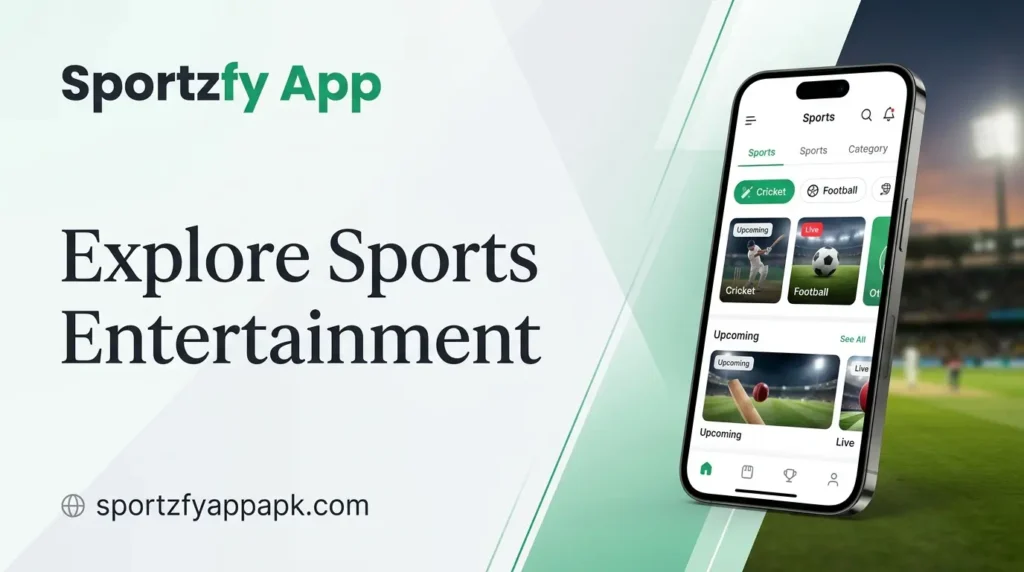
How to Download and Install Sportzfy TV APP ?
If you are considering installing Sportzfy on an Android device, follow a careful process.
Step 1: Check the App and Download Source
Confirm the app’s identity and look for reliable information about its developer, version, file size, and Android requirements. Do not assume that a website offering an APK is the official publisher.
Step 2: Verify Device Compatibility
Check whether your Android version meets the app’s requirements and whether the installation file is intended for your device.
Step 3: Review the File Before Installation
Use your device’s available security tools to scan the downloaded file. Review the permissions requested during installation and be cautious if they seem unrelated to the app’s purpose.
Step 4: Install Carefully
If you install an APK from outside an official app store, Android may require permission for that particular source to install applications. Only grant permissions when you understand the source and the risks.
Step 5: Open and Check the App
After installation, confirm that the app opens correctly and that its displayed identity and version match the information you reviewed.

Is Sportzfy TV APK Safe?
The safety of an APK cannot be established from its name or download-page claims alone. A website describing a file as “safe,” “official,” or “security verified” is not sufficient proof.Before installing any APK:
- Use a trustworthy distribution source.
- Verify the app’s identity and release information.
- Scan the file with reputable security tools.
- Review permissions and privacy practices.
- Avoid files that request unnecessary access.
- Do not enter sensitive personal or financial information into an app you cannot verify.
- Keep Android and your security software updated.
Also consider whether the app has permission to distribute the content it offers. A working stream does not, by itself, establish that the stream is authorized.If you cannot establish the source or legitimacy of an APK, the safer option is to use a recognized app store or an authorized sports-streaming service.
Can You Use Sportzfy Live TV APP on Different Devices?
Compatibility depends on the app’s actual release and the operating system running on your device.
Sportzfy app download for Android
Android is the main device category associated with APK installation. Before installing, confirm your device’s Android version and the APK’s requirements.
Sportzfy on Android TV and Fire TV
A phone-oriented Android app may not provide a suitable interface for a television. Remote navigation, screen layout, playback controls, and device compatibility all matter.
Check whether the specific app supports your TV platform before attempting installation.
Sportzfy APK Latest Version for PC, Windows, and Laptop
An Android APK is not the same as a native Windows application. Running an APK on a computer may require a compatible Android emulator, and compatibility is not guaranteed.Before downloading a file advertised as a Sportzfy PC version, verify whether it is an actual Windows application or simply an Android package.Read: Sportzfy 11.7 official version download..
Sportzfy on iPhone, iPad, and Apple Devices
Android APK files cannot be installed directly on iPhones or iPads. Apple devices use different application-distribution methods.Be careful with similarly named apps: a product listed in an app store is not necessarily the same app described on an APK website.
Pros and Cons of Sportzfy
The advantages and limitations depend on the specific app and the source providing it.
Advantages
- Sports-focused navigation may help users find relevant content.
- An Android-compatible app may offer a convenient mobile interface.
- TV-oriented features can be useful when they are genuinely supported.
- Search and category options may simplify content discovery.
Limitations
- App identity and release information may be difficult to verify.
- Features and available sports can vary by version and region.
- Third-party APK files may carry security and privacy risks.
- An Android APK may not work on Windows or Apple devices.
- Streaming quality depends on the connection and content source.
- Availability of a sports event does not guarantee authorization to distribute it.
Evaluate the actual application rather than relying on promotional claims.
Common Sportzfy Problems and Fixes
Sportzfy Is Not Opening
Check device compatibility, available storage, and whether the app is up to date. Restarting the device may help with temporary issues. If the problem continues, verify the installation source before reinstalling.
Sportzfy Download Streams Keep Buffering
Test your internet connection, try another available quality setting, and check whether the issue affects one stream or all content. Buffering can originate from the network, device, or stream provider.
Sportzfy TV APP Is Not Installing
Confirm that the file downloaded completely, that it is compatible with your Android version, and that sufficient storage is available. A damaged, incompatible, or misleading APK may fail to install.
Sportzfy Is Not Working on TV
Check the television’s operating system and whether the app supports that platform. An Android TV device, Fire TV device, Samsung smart TV, and LG smart TV may use different application formats.
Sportzfy Is Not Working on PC
Confirm whether you have a compatible Windows application or are attempting to run an Android APK through an emulator. Check emulator compatibility and system requirements before trying another installation.
Best Sportzfy Alternative APK
If Sportzfy does not support your device, your preferred event, or your viewing requirements, consider other options.When comparing alternatives, look at:
- Official sports-broadcasting services available in your country.
- Sports apps offering match schedules, scores, news, and highlights.
- Streaming services with confirmed rights to the competitions you follow.
- Device compatibility and subscription costs.
- Privacy practices, app permissions, and distribution sources.
Choose an option based on the sports you watch, your device, and the availability of authorized content. Do not assume that an alternative is safe or legitimate simply because it is free.
Frequently Asked Questions About Sportzfy
What is Sportzfy?
Sportzfy is a name associated with sports-related apps and online resources. Its exact features, availability, and compatibility depend on the particular application or version.
Where can I find Sportzfy TV Live download information?
Visit our Sportzfy APPS guide to learn what to check before downloading an Android installation file.
What is the latest Sportzfy version?
The latest version should be confirmed using reliable release information from the relevant publisher or distribution source. Do not rely on a version number alone as proof that a file is current or official.
Is Sportzfy APP for ios available on Google Play?
Availability can change. Search Google Play for the exact app name and verify the developer identity. A similarly named listing may refer to a different product.
Can I use Sportzfy on Android TV?
That depends on whether the specific app supports your Android TV device and its operating-system version.
Can I download Sportzfy for PC or Windows?
An Android APK does not run natively as a standard Windows application. Some Android apps may work through compatible emulators, but support and performance are not guaranteed. See our Sportzfy for PC guide.
Is Sportzfy available for iPhone?
Do not assume that an Android APK is available for iOS. Check Apple’s App Store for the exact app and developer, and verify whether the listing is the same product you are researching.
Can I watch live cricket and football with Sportzfy?
That depends on the app, available streams, region, and broadcasting rights. Check the specific event and its authorized viewing options before match time.
Can I use Sportzfy for Apple without an internet connection?
Live streaming generally requires an internet connection. Offline playback is only possible if the particular app provides a supported download feature and the relevant content is available for lawful offline viewing.
Why is Sportzfy buffering or not working?
Possible causes include a weak connection, device incompatibility, a damaged installation file, or a problem with the stream source. Follow the troubleshooting steps above to narrow down the cause.
Where can I find older Sportzfy versions?
Older versions should only be considered when there is a clear compatibility reason and the file can be verified. Old APKs may lack security updates or contain risks. Read our Sportzfy old versions guide.
Explore More Sportzfy Guides
Use these guides to find more specific information:
- Sportzfy TV Download and Android Installation
- Sportzfy TV ApK Download and TV Installation
- Sportzfy App for PC, Windows, and Laptop
- Sportzfy for iOS and Apple Devices
- Sportzfy Old Versions and Compatibility
- Sportzfy Alternatives
- Sportzfy App Download Troubleshooting and Common Problems
About This Website
This website provides informational guides about Sportzfy-related apps, device compatibility, installation considerations, and sports-streaming options. We aim to distinguish verified information from unconfirmed claims and to explain potential security and compatibility risks clearly.Unless explicitly stated and verifiably supported, this website should not be considered the official publisher of Sportzfy APK Download or affiliated with an app developer, broadcaster, or rights holder. Always verify app identity, download sources, and content authorization before installing an application or watching a stream.